Skip to content

Built in Alberta for heavy-civil fleets

Keep every machine earning.

IronLoop runs maintenance, parts, mobilization, hauling, safety, crew time and resale on one machine record — for owned, leased and rented iron, from the yard to the boardroom TV.

No card needed for the trial. Your data stays in Canada.

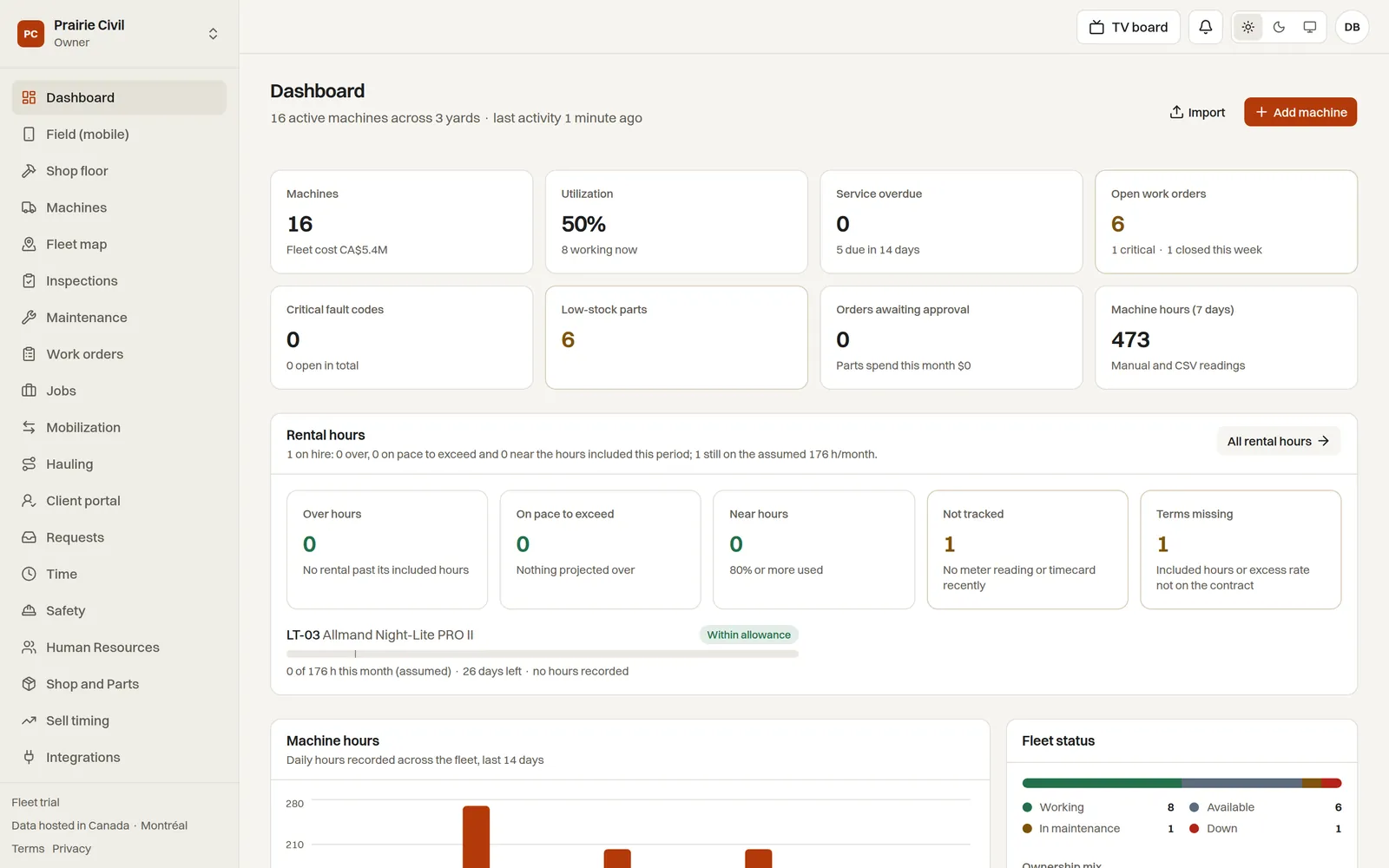
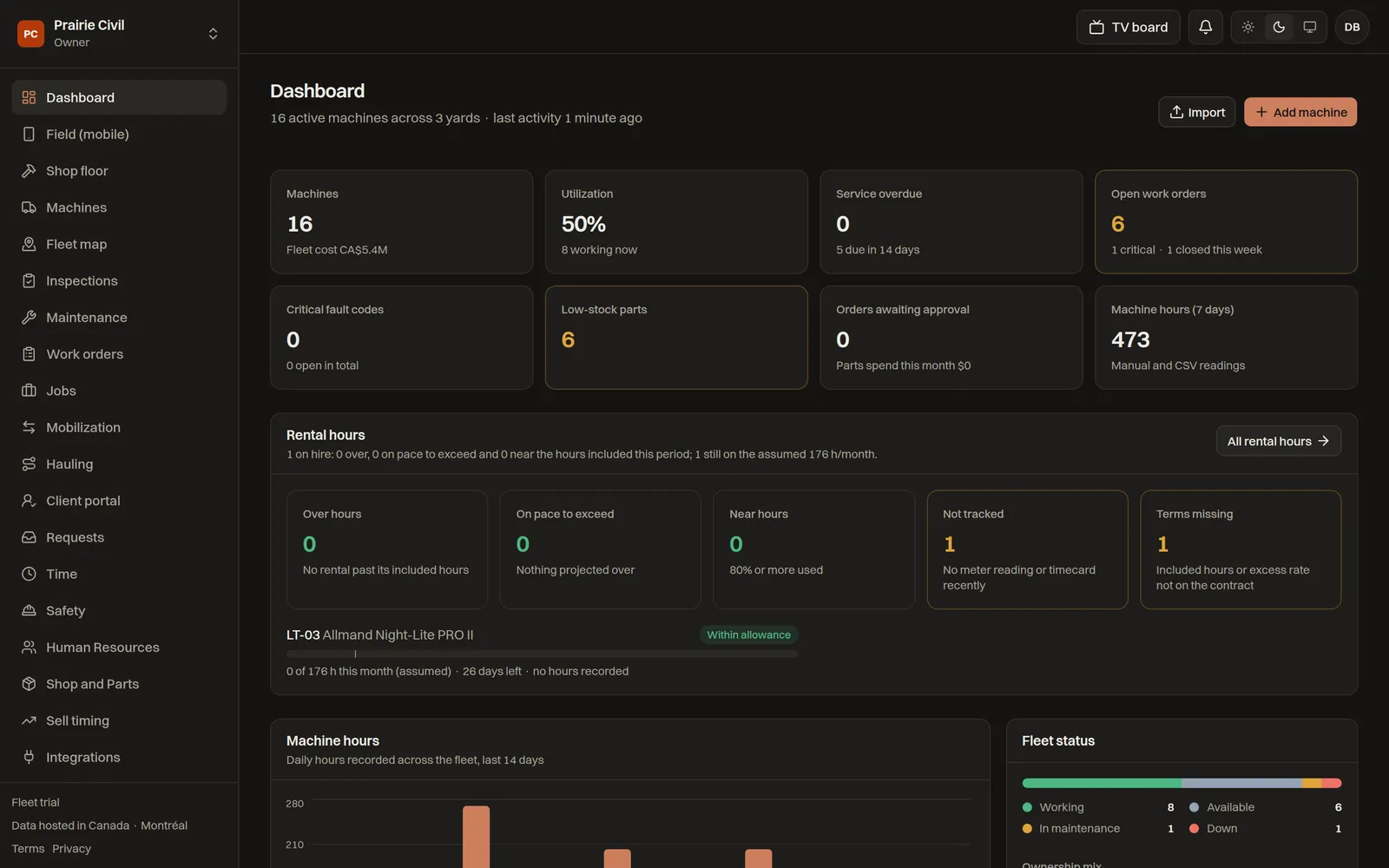
Prairie Civil · Dashboard · sample company
The IronLoop dashboard: active machines, utilization, service overdue, open work orders, rental hours, machine hours and fleet status
14 roles
Each with its own training manual, from owner to operator
Six TV boards
Plus boards you build, paired with a six-digit code
Phone first
Add to Home Screen, works offline, scans machine QR
Hosted in Canada
Nightly backups you can download any time

What makes IronLoop different

Service, parts, moves, hauling, safety and resale usually live in six systems and a spreadsheet. IronLoop keeps them on the same machine record — and shows the result on the wall.

Mobilization

Moves that cannot leave the yard early

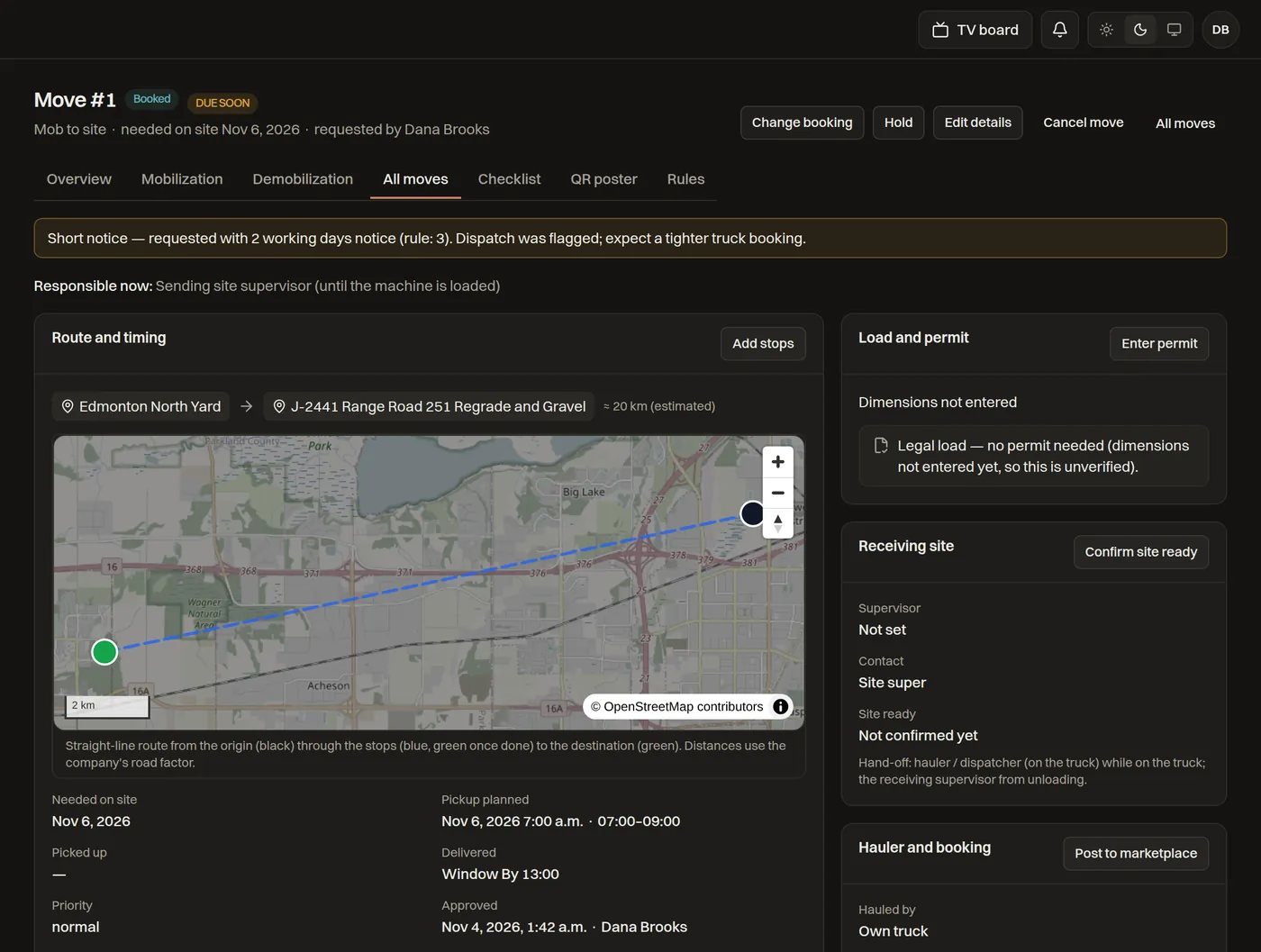
Every machine move is requested, approved, booked and proved in one place — replacing the move-tracker spreadsheet and the e-mail chain behind it.

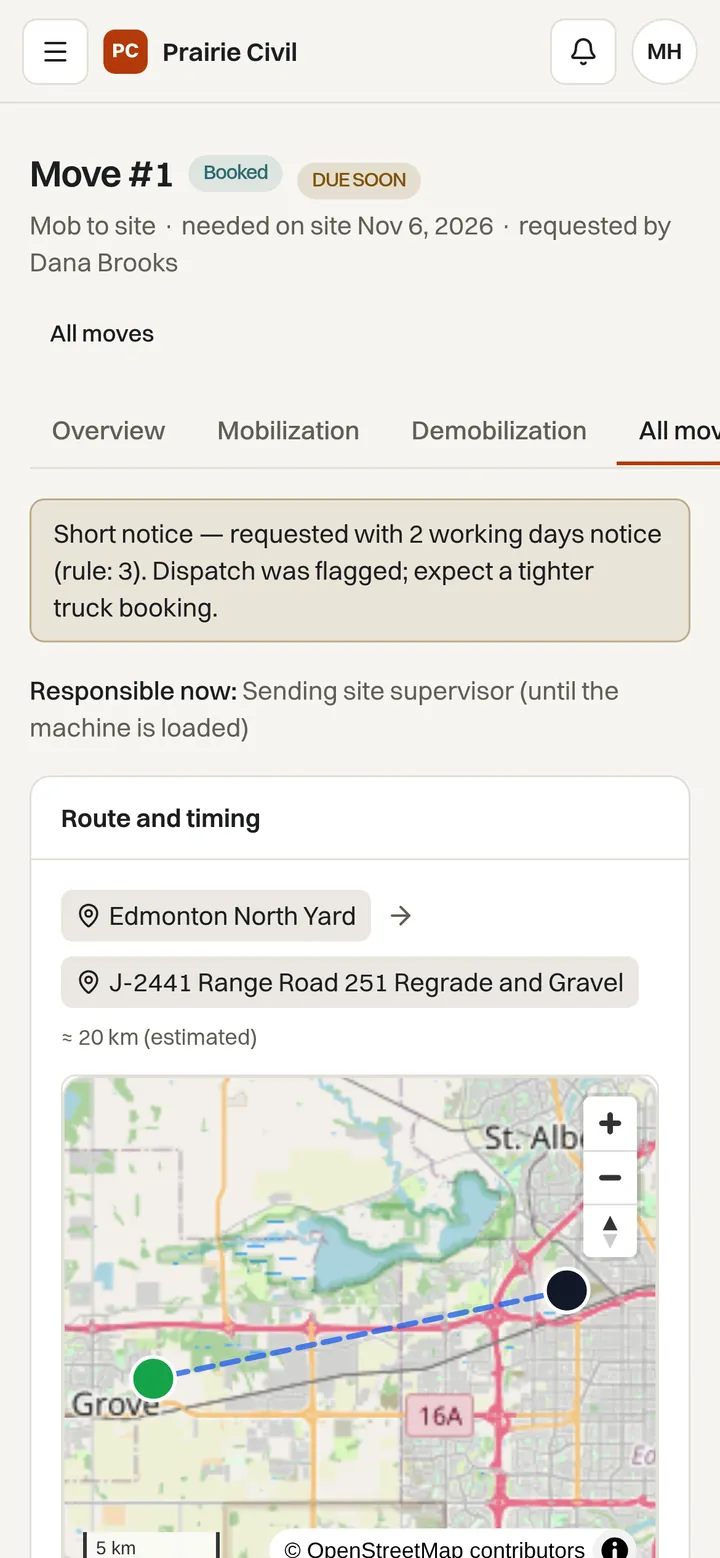
  • Three working days' notice by rule; shorter notice is flagged for dispatch.
  • Operations prep and the mechanic's lube sign-off gate the booking. A dispatcher can waive readiness, but only with a reason, and the waiver is logged.
  • Pickup proof before the load leaves: five photos, a GPS position and a securement checklist. Keys stay with the machine.
  • Route and permit check against the load's dimensions, and a carrier link with a PIN so the hauler taps Picked up and Delivered without an account.
Mobilization · Move #1 · EX-336 to J-2441
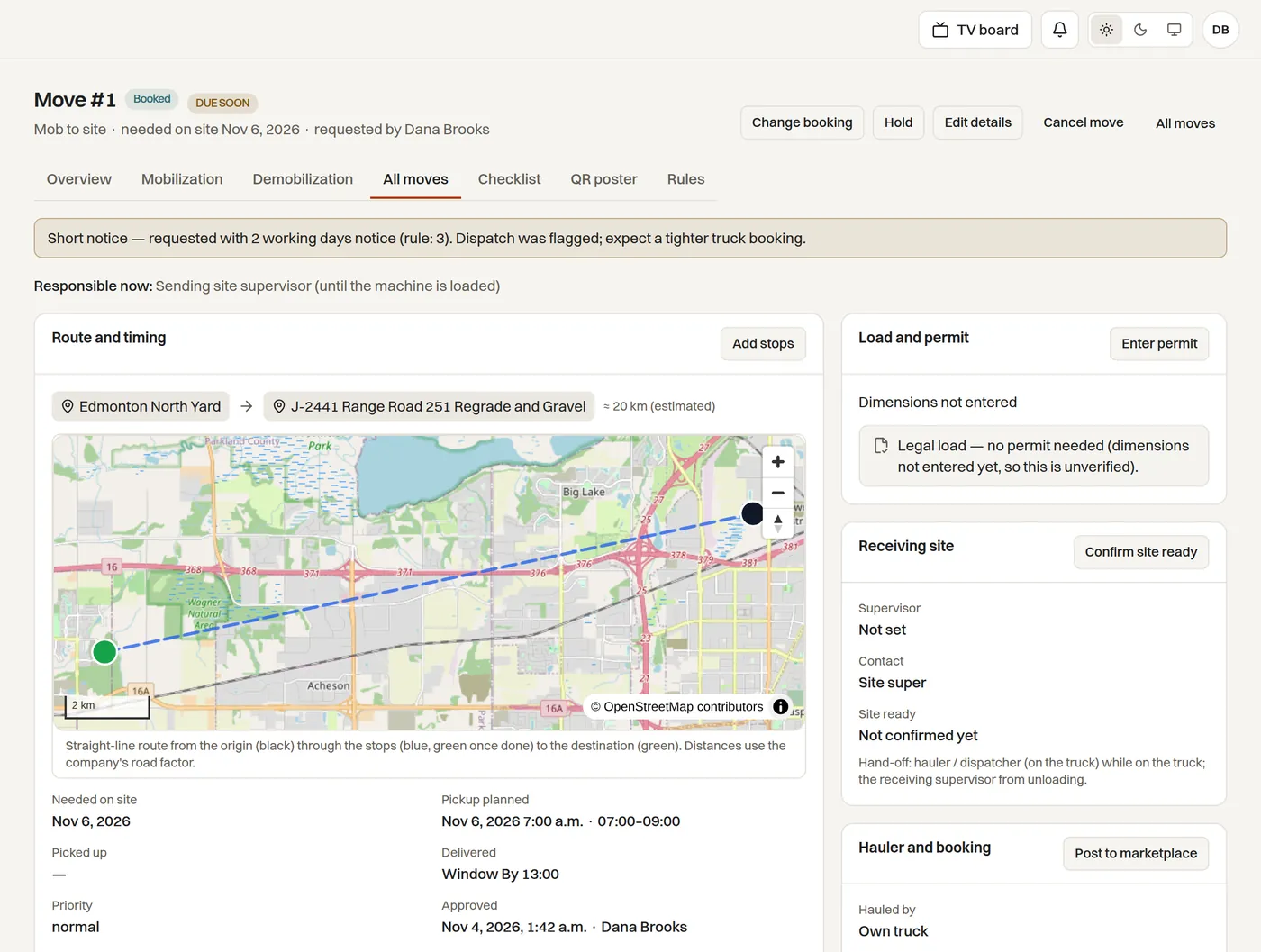
A move record showing the route map, load and permit check, receiving site and hauler booking

Boardroom TV

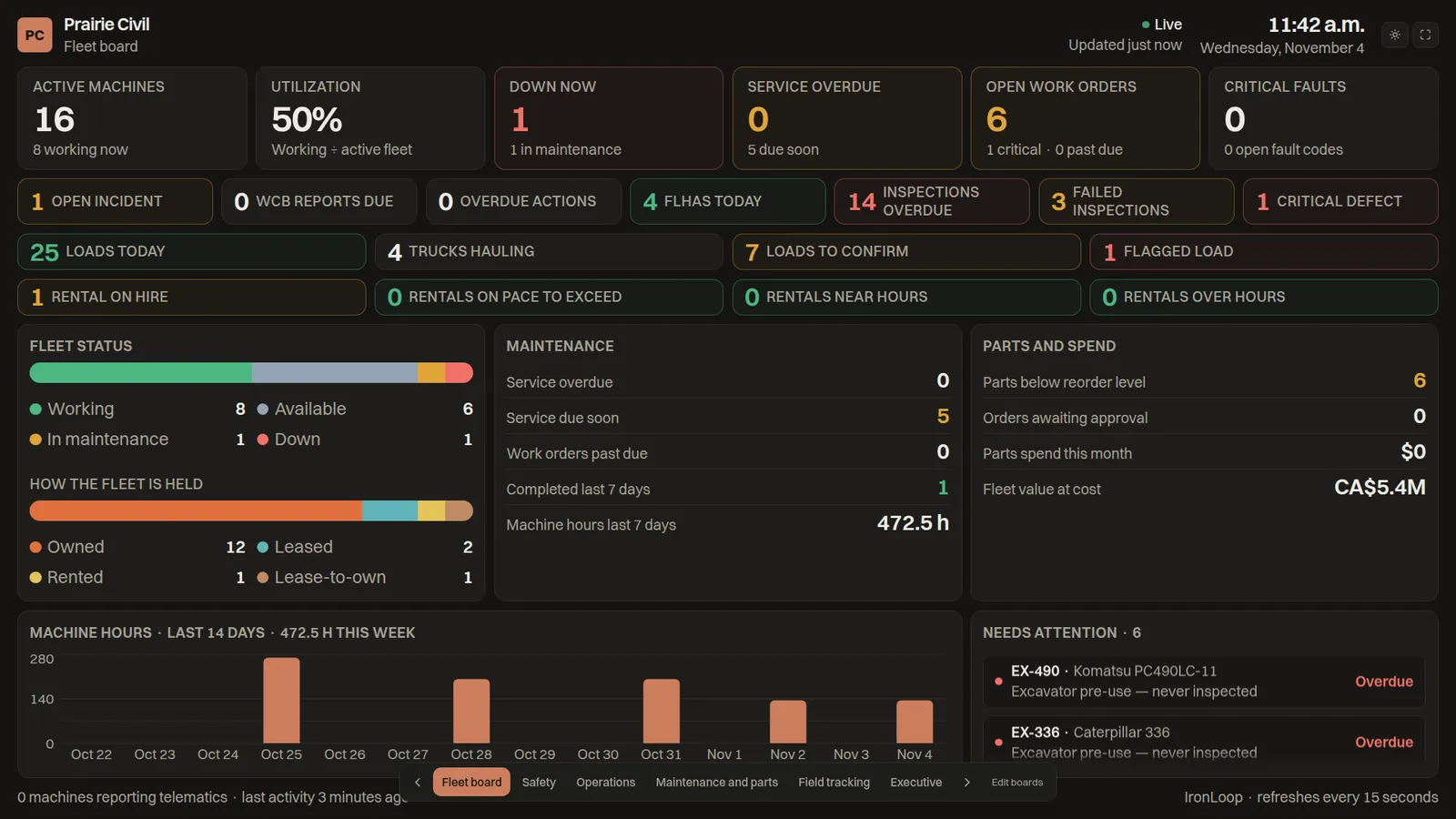
A live board for the boardroom, paired in seconds

Pair any TV with a six-digit code and it shows the fleet as it is right now — no laptop, no login on the screen.

  • Fleet, Safety, Operations, Maintenance and parts, Field tracking and Executive boards, plus boards you build from tiles and announcements.
  • Refreshes every 15 seconds; light or dark per board; disconnect a screen from your phone.
  • Group executives see the totals across every company in the group.
Fleet board · paired TV
The Fleet board on a TV: active machines, utilization, downtime, safety counters, hauling and rental strips

Sell timing

Know the day a machine is worth more sold

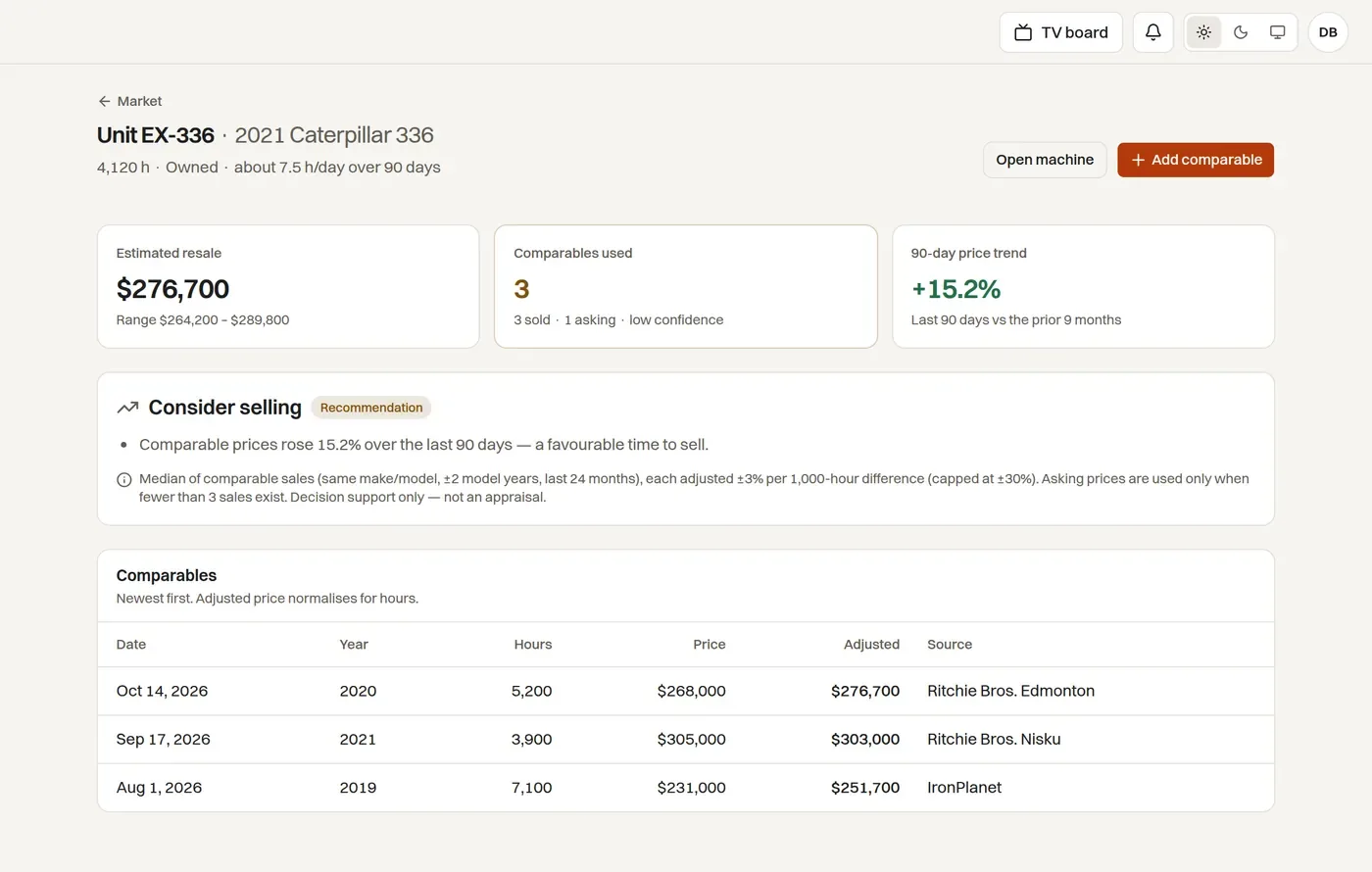
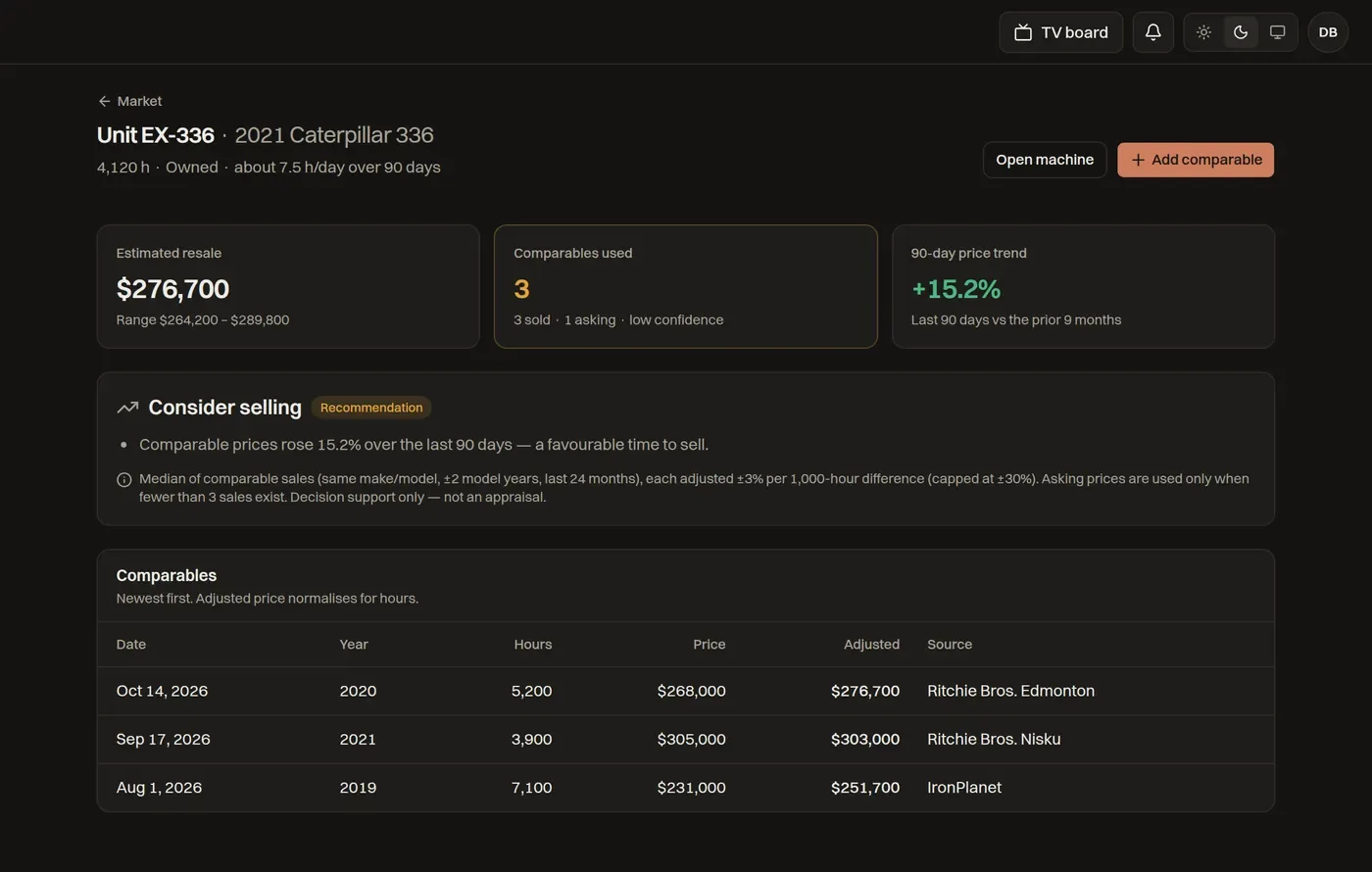
Comparable sales sit beside each machine's hours and repair spend, so the keep-or-sell decision stops being a feeling.

  • Record auction results, listings and dealer quotes; estimates adjust for hours and age.
  • A 90-day price trend and a plain recommendation for every machine.
  • Lease buyout equity and rent-versus-buy advice for leased, rented and lease-to-own units.
Sell timing · EX-336
Sell timing for a Caterpillar 336: estimated resale, comparables used, 90-day trend and a Consider selling recommendation

Maintenance

Service that forecasts itself

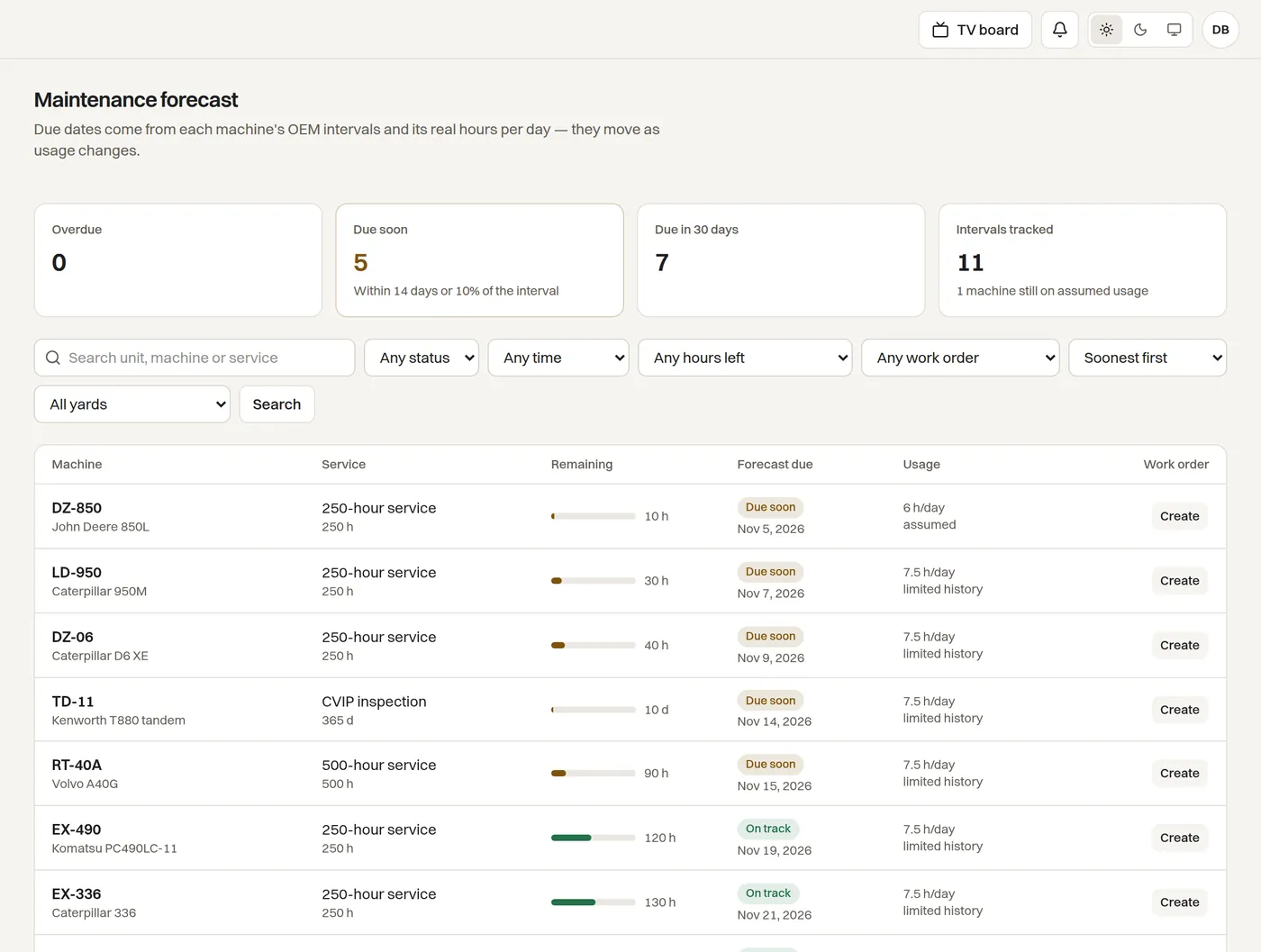
Hour meters, telematics and OEM intervals forecast due dates and move them as usage changes.

  • Failure-risk scoring flags the machines most likely to go down next.
  • A failed pre-use inspection opens a work order; parts, PO tags and shop visits stay on the same record.
  • Warranty windows, rental hours and lease return conditions follow each contract.
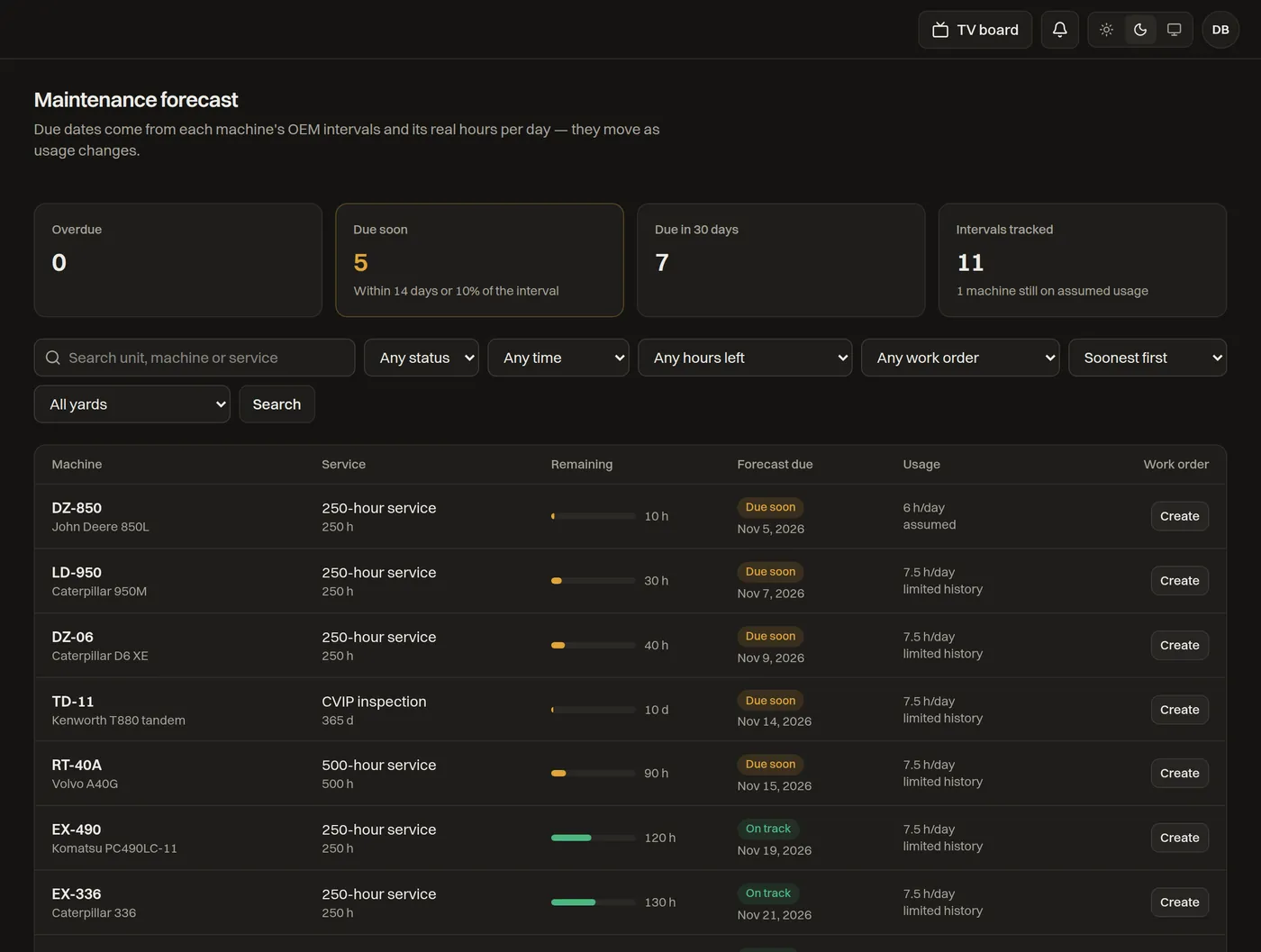
Maintenance forecast
Maintenance forecast listing machines with hours remaining, forecast due dates and usage

Parts and payments

Parts across every yard, paid by card

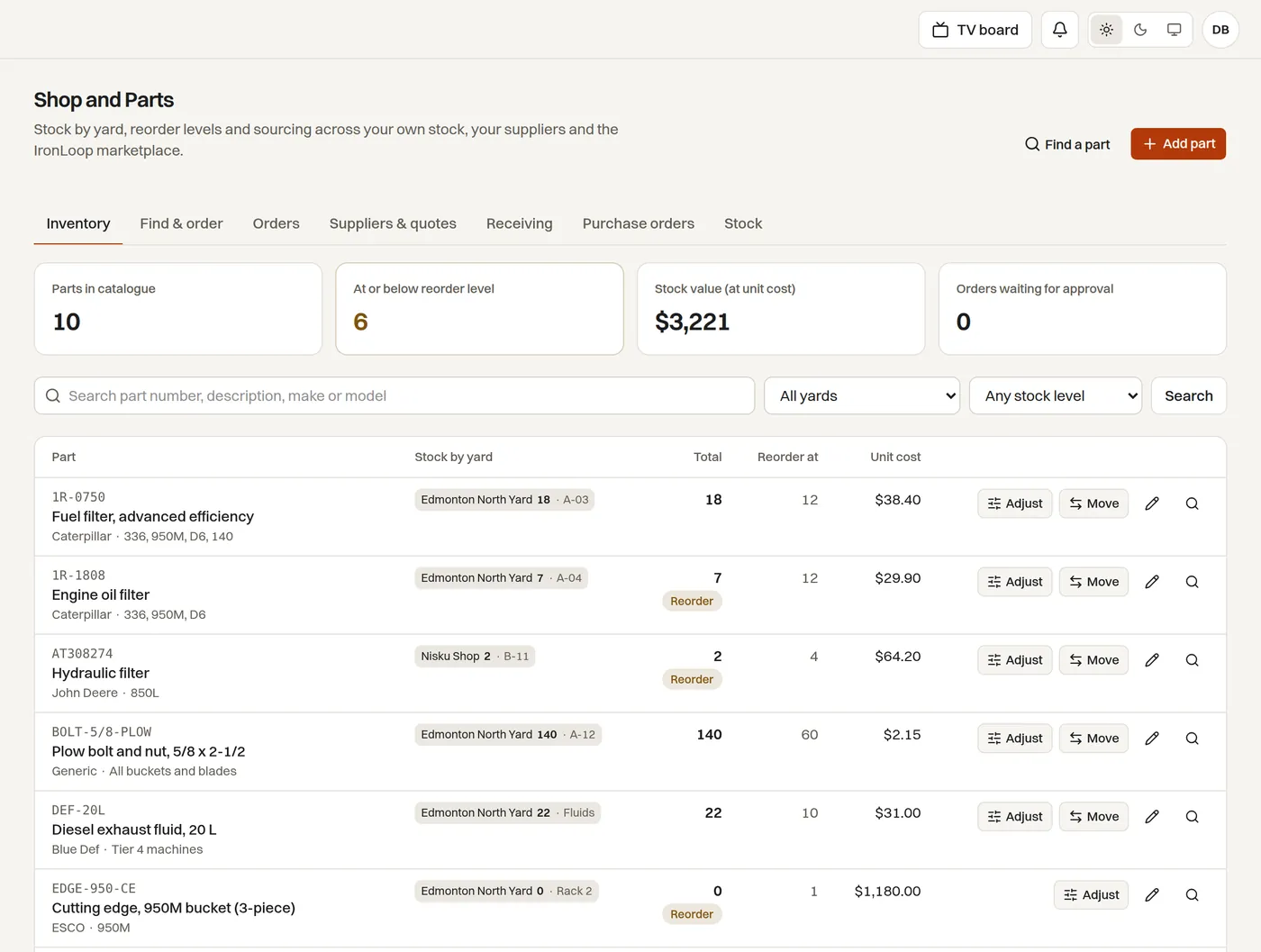
See stock in every yard, pull from the nearest one, or raise a supplier PO with approvals and receiving in one flow.

  • Shop counts, reorder levels and PO tags that follow the part to the machine.
  • Card payments for parts and for your subscription through Stripe or Helcim — Canadian dollars, GST on the invoice.
  • Dealer price feeds and the hauling marketplace open on the Fleet plan.
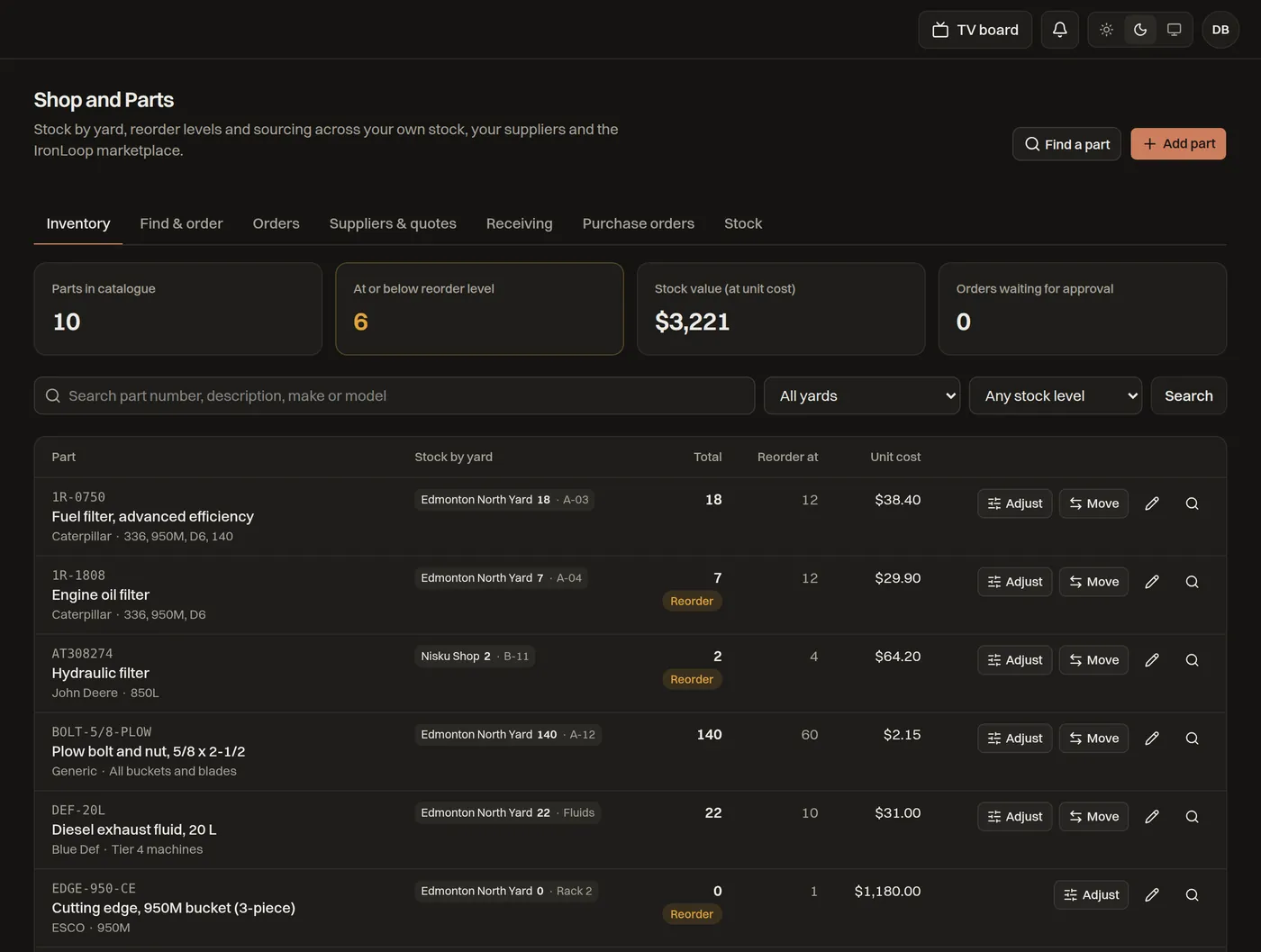
Shop and parts
Shop and parts: stock below reorder level, orders awaiting approval and parts spend

Hauling

Dispatch, loads and carrier pay in one place

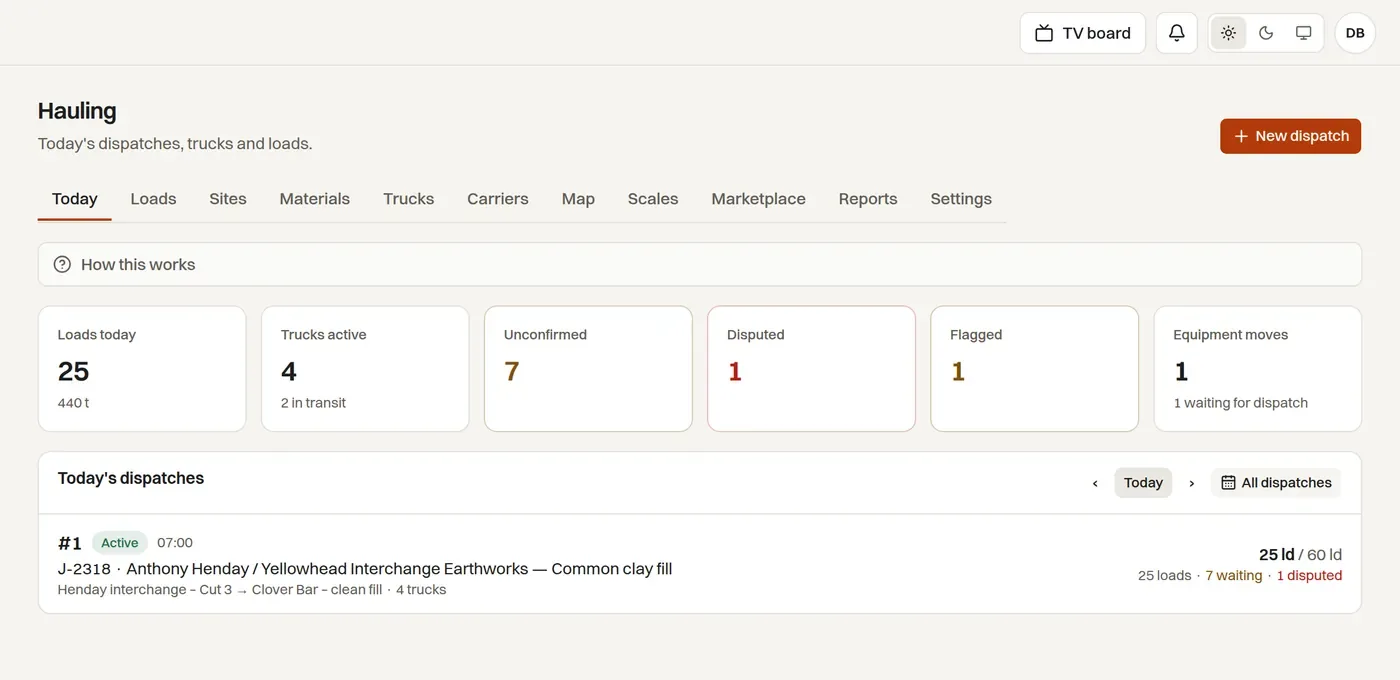
Daily dispatches by job, trucks and sites, with the loads confirmed against scale tickets before anyone is paid.

  • Loads to confirm, flagged loads and equipment moves on the same board.
  • Carriers get their own portal; drivers see their loads and never your rates.
  • Scale and pit tickets match to loads; approved loads export as a carrier pay statement.
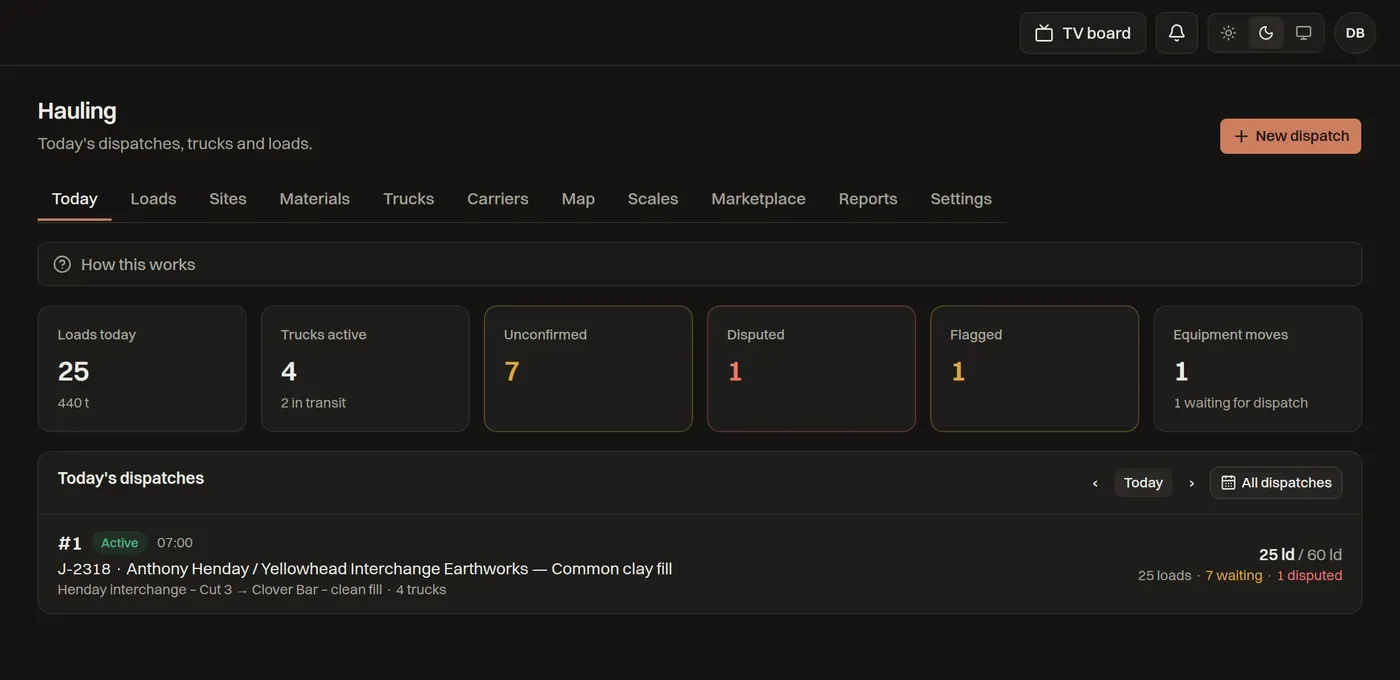
Hauling · today
Hauling: loads today, trucks active, unconfirmed and flagged loads, and today's dispatches

Safety and compliance

Safety evidence that holds up

Daily field safety becomes records an auditor, insurer or WCB case manager can follow.

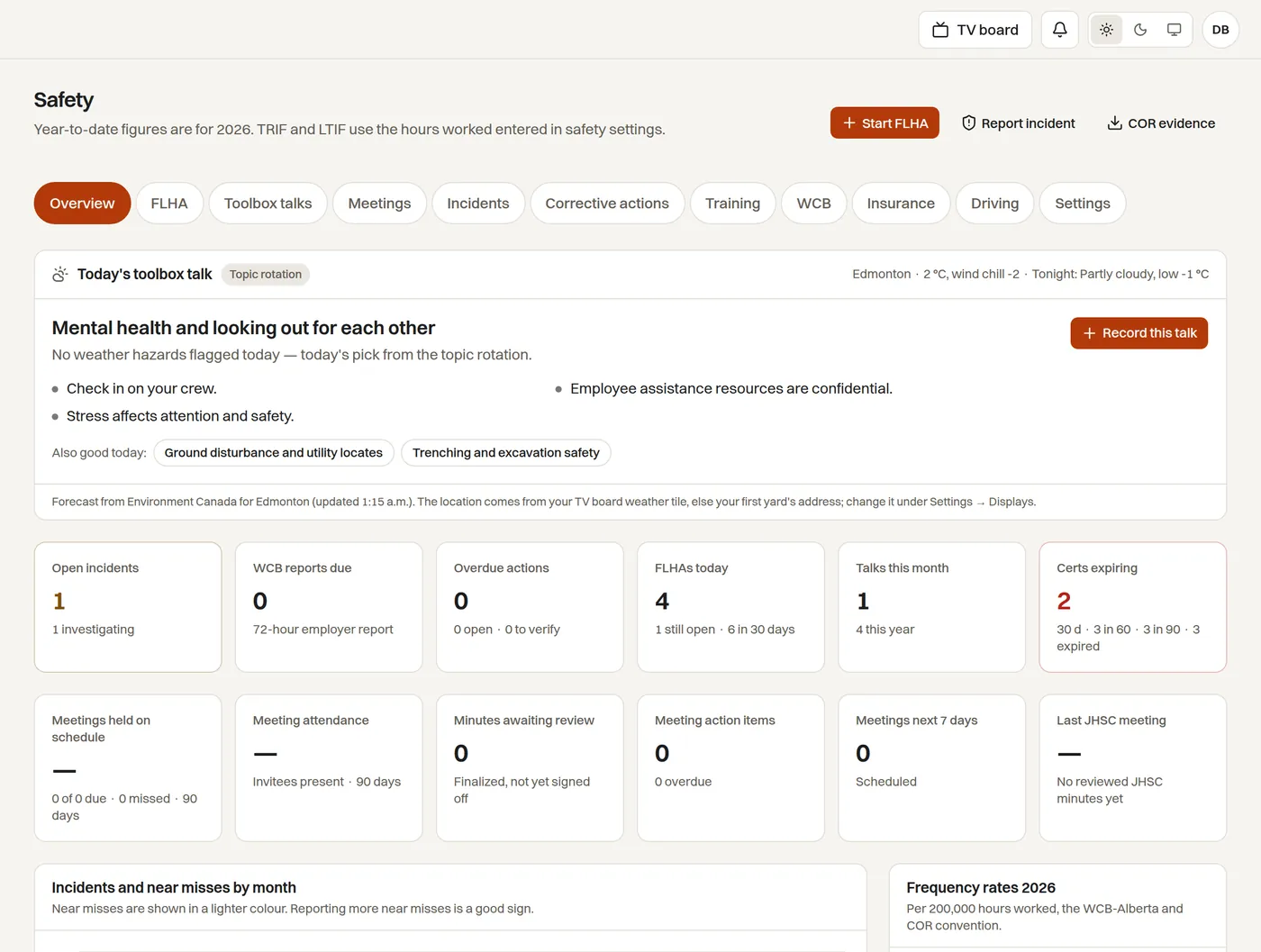
  • Pre-use inspections, FLHA, toolbox talks with weather and site hazards, incidents and corrective actions.
  • WCB accounts, claims and reports with reminders; insurance certificates, registrations and permits with expiry dates.
  • TRIF and LTIF year to date, and the evidence package for a COR audit built from records you already keep.
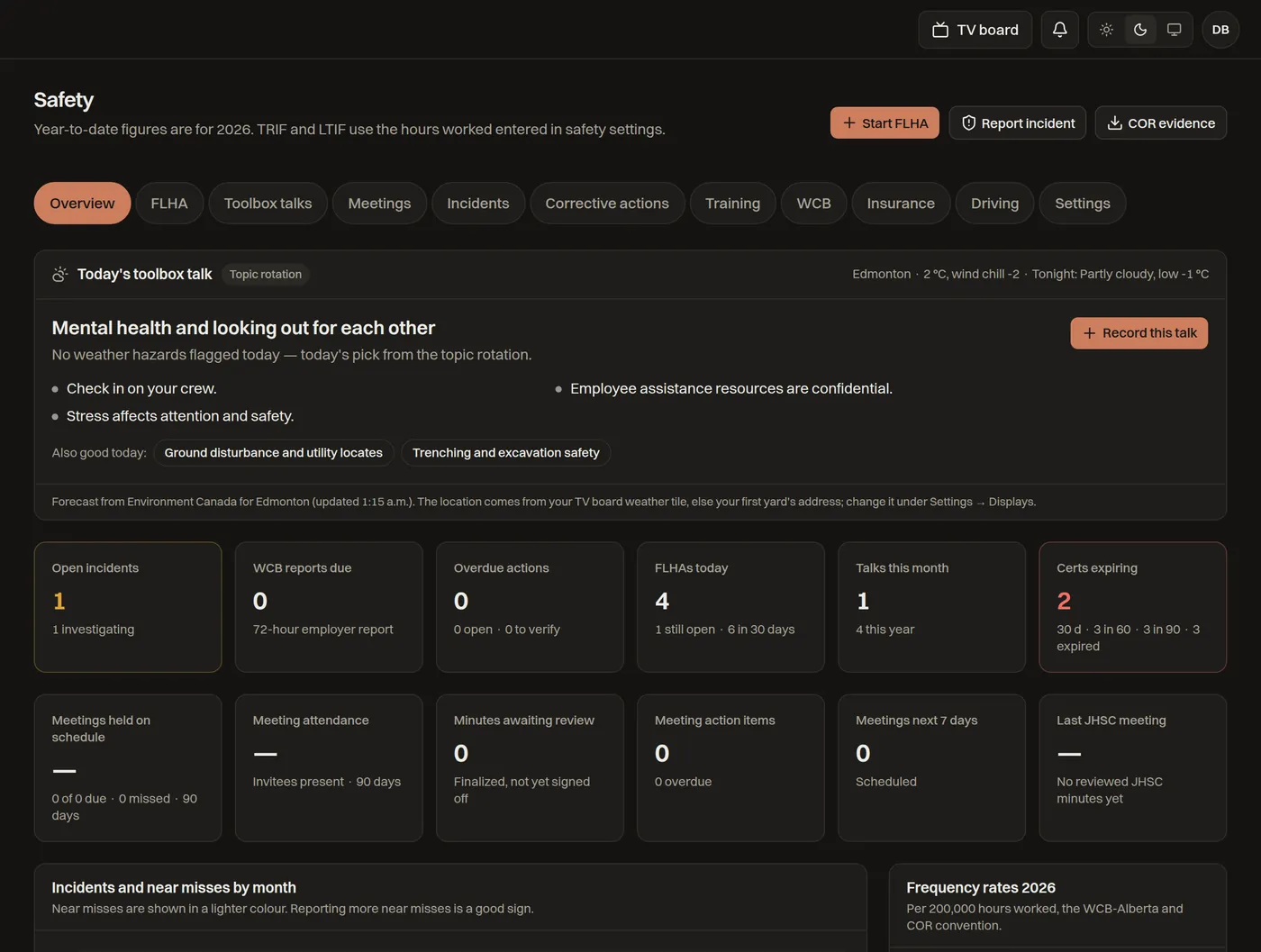
Safety
Safety overview with today's toolbox talk, TRIF and LTIF, open incidents and WCB reports due

Field

Built for the cab, works without signal

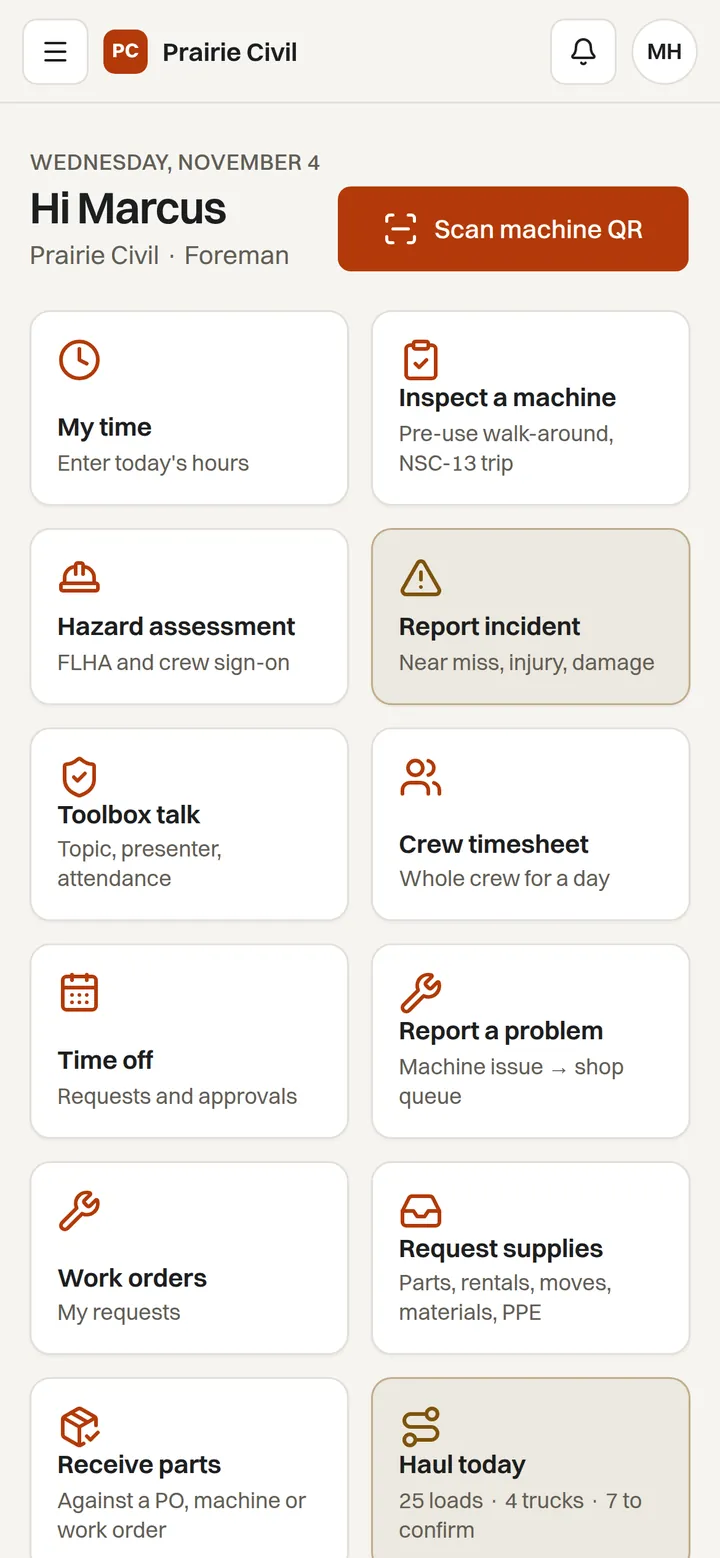
No app store. Crews add IronLoop to the Home Screen once, and Field keeps working out of range — notes, photos, voice notes and checklists send themselves when the signal is back.

  • Scan the QR on any machine: log hours, run the pre-use inspection, report a problem or request parts.
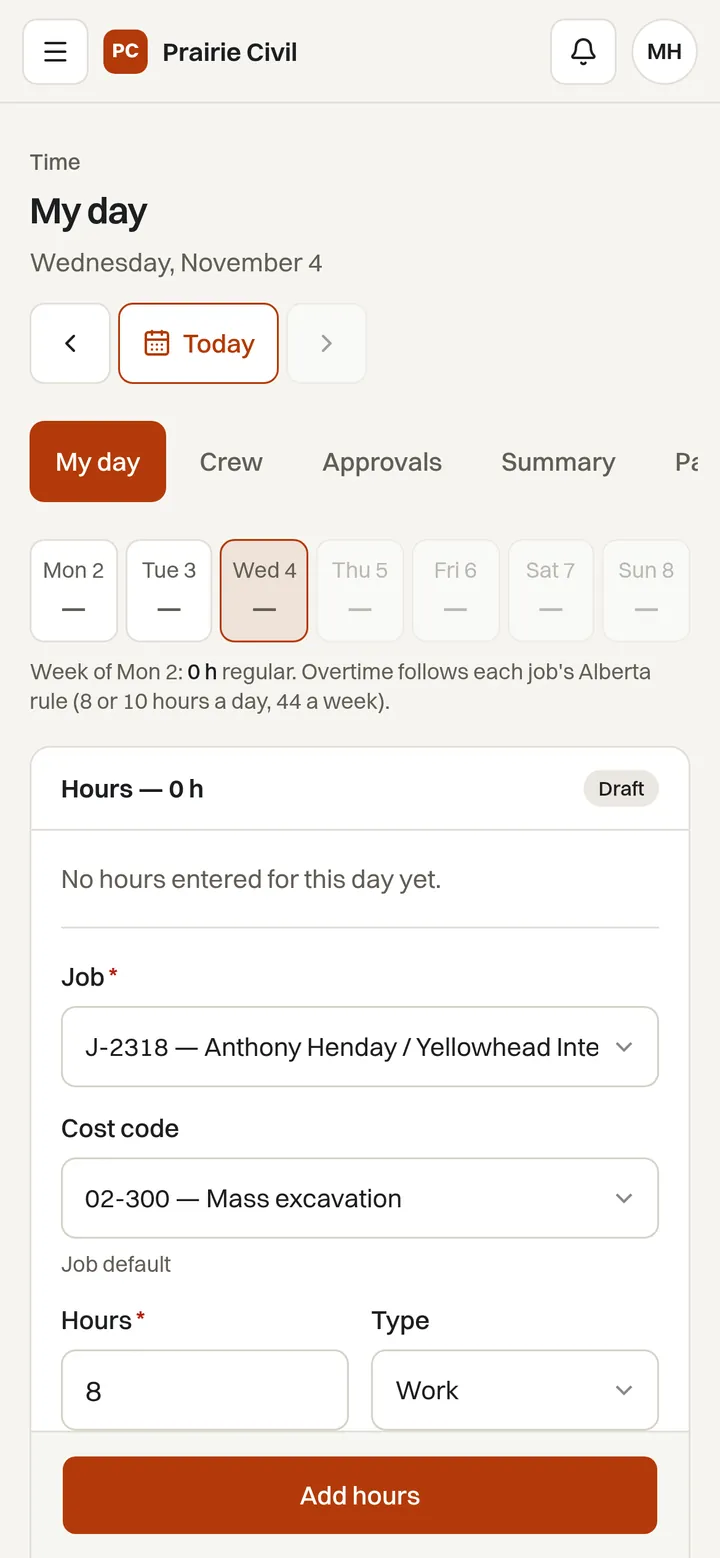
  • My time, crew timesheets, time off, FLHA and toolbox talks in a few taps.
  • A Requests desk routes anything the field needs to the person who can approve it, and tells the crew when it is done.
  • Move pickup proof, hauling confirmations and incident reports from the same home screen.
The Field home screen on a phone with Scan machine QR, My time, Inspect a machine, Hazard assessment and Report incident
Field home
A move on a phone showing the short-notice flag, route and timing and the map
Move detail
My day on a phone: the week, hours and job and cost code for today
My time

Everything in one loop

Each module is a page in the same app, on the same record, under the same roles. Turn on what your plan includes; nothing needs a second login.

Machines

Owned, leased, rented and lease-to-own, each with its contract, hour meter and signs.

Maintenance and work orders

Forecasts, shop queue, fault codes and warranty.

Shop and parts

Stock by yard, counts, supplier POs, receiving and card payments.

Mobilization

Requests, readiness, bookings, pickup proof and carrier links.

Hauling

Dispatch, loads, scale tickets, carriers and the marketplace.

Safety

Inspections, FLHA, toolbox talks, incidents, WCB, COR and registrations.

Time and payroll

Crew time, cost codes, approvals, time off and payroll exports.

Human resources

Employee files, onboarding, policies to sign and certifications.

Requests desk

Anything the field needs — parts, rentals, moves, PPE — routed to the right person.

Sell timing

Comparables, buyout equity and rent-versus-buy.

Fleet map

Every tracked machine on one map, refreshed from telematics.

Client portal

Daily reports, photos and progress claims your customers can see.

TV boards

Six boards plus your own, paired with a code.

Audit trail

Hash-chained, exportable record of every change.

Integrations

ERP, telematics, documents and training connectors.

Help and manuals

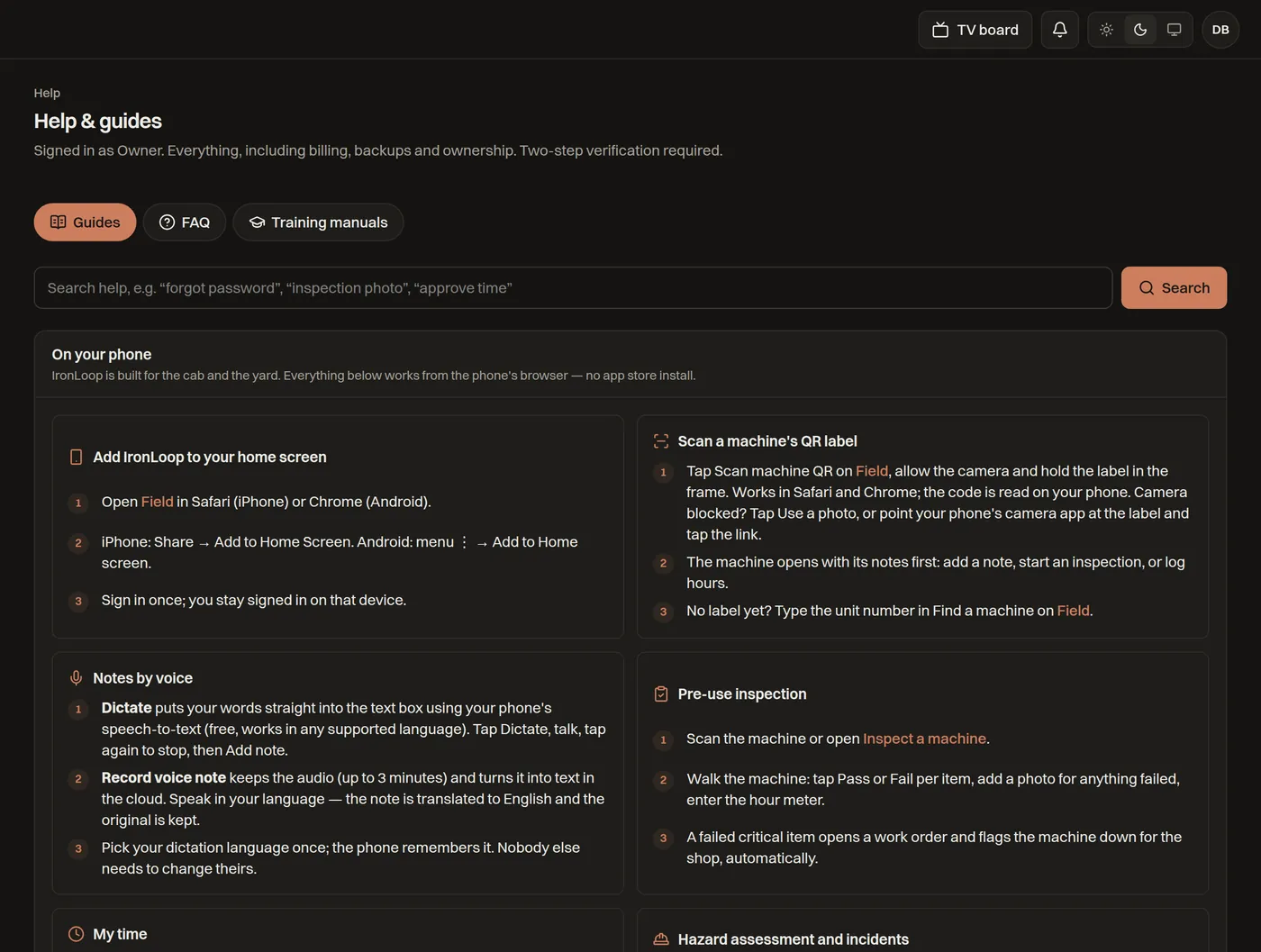
FAQ with screenshots and role manuals inside the app.

Groups, companies and yards

Run several companies under one group. Each company gets its own branded address and sign-in page, its own team, roles and yards. Group executives see the totals across all of them.

Contract-aware, rental to lease-to-own

Owned, leased, lease-to-own and rented machines each carry their contract terms, so service, warranty, hour caps and return conditions follow the agreement, not guesswork.

QR labels, posters, signs and decals

Print QR labels for machines and yard posters for moves; a scan opens the right screen for whoever is holding the phone. Company sign and decal placement is tracked per machine with photo proof.

Connects to what you already run

Connectors are switched on per company from Integrations, each with its own credentials and sync log. They need the API access your vendor, dealer or OEM grants; CSV import covers everything else.

Accounting and ERP

  • Explorer Eclipse
  • Sage Intacct
  • Sage 300 CRE
  • Trimble Viewpoint Vista
  • QuickBooks Online
  • Oracle NetSuite

Timecards, equipment usage and PO receipts post to your ledger.

Documents, training and fuel

  • Procore
  • Egnyte
  • Microsoft 365
  • Google Drive
  • Power BI
  • BIStrainer
  • 4Refuel
  • Foreman

Backups land where your files already live; training and fuel records import on a schedule.

Telematics and ELD

  • Samsara
  • Geotab
  • Motive
  • Ford Pro
  • GM OnStar
  • Volvo and Mack (rFMS)
  • Detroit Connect
  • International
  • Hino
  • Mercedes-Benz Trucks
  • Stellantis
  • BMW CarData

Plus any OEM feed on the ISO 15143-3 (AEMP 2.0) standard — Cat, Komatsu, Deere, Volvo CE, Case and Hitachi — where your dealer grants API access.

Security your lender and your auditor will ask about

Fleet data drives borrowing bases, insurance and resale. IronLoop treats it that way.

Two-step verification

Required for owners, admins, finance and group executives. Breached passwords are refused and repeated failures lock the sign-in.

Tamper-evident audit trail

Every change is recorded in a hash-chained log you can verify and export. Entries cannot be edited or deleted.

Nightly backups in Canada

Automatic nightly exports plus on-demand backups, stored in Canada. Download your full data whenever you want it.

Isolation by design

Each company's data is separated at the database row level. IronLoop staff can only look in when your owner grants time-limited access.

Single sign-on

Enterprise companies sign in with Microsoft Entra ID (SAML), so your own password and device policies apply. Roles stay in IronLoop.

Canadian by default

Hosted in Canada, priced in Canadian dollars with GST, Stripe or Helcim for cards, and built in Alberta by people who have run heavy-civil fleets.

Roles and help

14 roles, each with its own manual

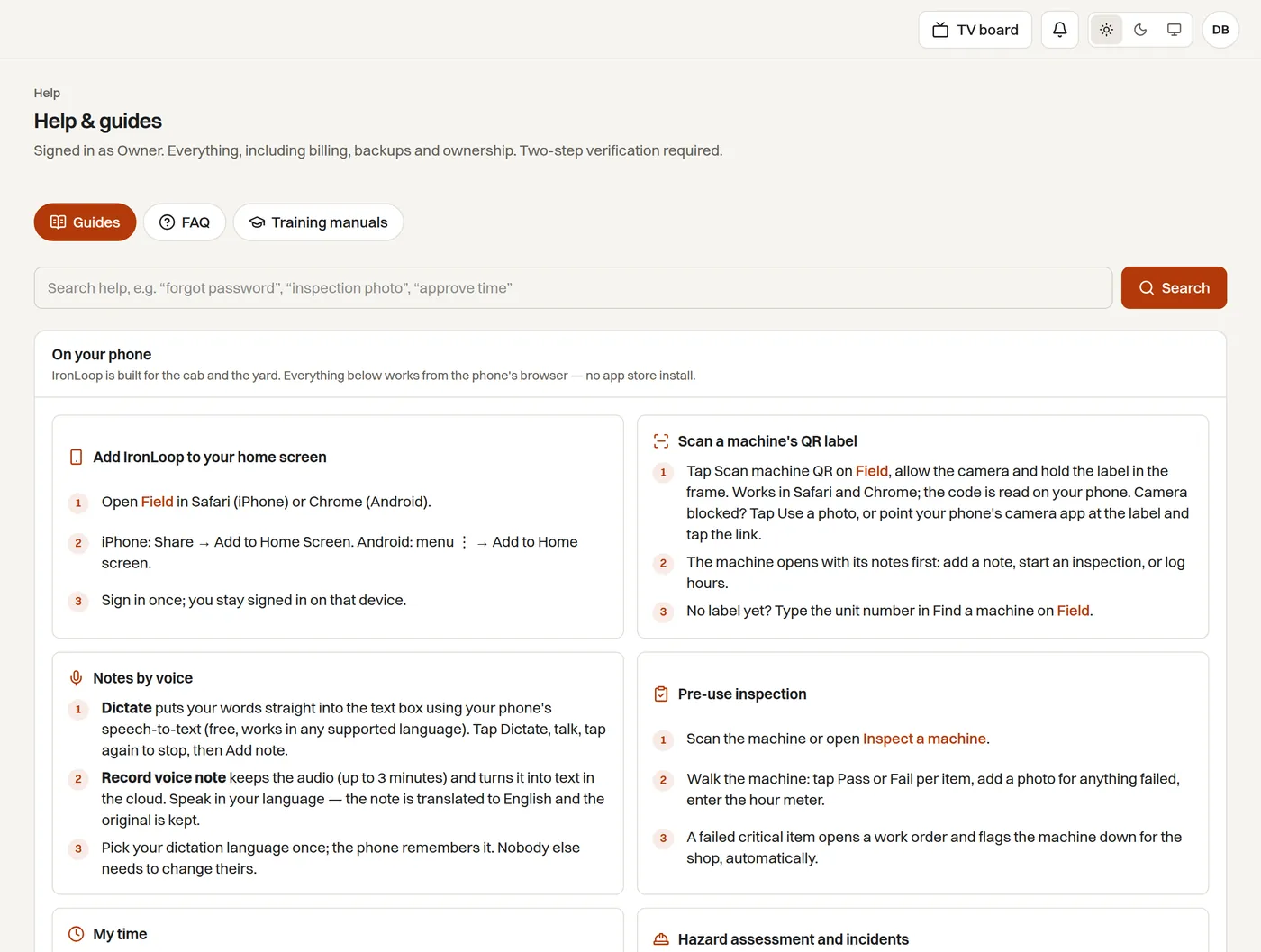
People see only what their role needs. Help is built into the app: a searchable FAQ with screenshots, “How this works” on every page, and training manuals in PDF and Word for the office and the field.

  • Owner
  • Admin
  • Fleet manager
  • Dispatcher
  • Project manager
  • Foreman
  • Safety coordinator
  • Mechanic
  • Operator
  • Parts & purchasing
  • Payroll
  • Human resources
  • Finance
  • Viewer
Help · FAQ and training manuals
The in-app Help page with searchable FAQ sections and training manual downloads

Simple pricing by fleet size

Per company, per month, in Canadian dollars plus GST. Every plan starts with a 14-day trial of Fleet.

Starter

One yard, the essentials of maintenance, work orders, parts, inspections and voice notes.

$249 / month

Up to 25 machines · 1 yard

  • Maintenance schedules
  • Work orders
  • Multi-yard parts inventory
  • QR equipment inspections
  • Voice notes with transcription
  • CSV import & export

Professional

Prediction, warranty, multiple yards, jobs, timecards, safety, hauling dispatch, human resources, card payments, TV view and backups.

$749 / month

Up to 100 machines · unlimited yards

  • Maintenance schedules
  • Work orders
  • Multi-yard parts inventory
  • QR equipment inspections
  • Voice notes with transcription
  • CSV import & export
  • Failure-risk prediction
  • Warranty tracking
  • Multiple yards
  • Jobs & cost codes
  • Crew & equipment timecards
  • Safety: FLHA, incidents, training
  • Hauling dispatch & driver e-tickets
  • Human resources & time off
  • Pay suppliers by card
  • Boardroom TV view
  • Client portal: reports, look-ahead, sign-offs
  • Nightly backups in Canada
  • Mobilization

Fleet

Most popular

Telematics, dealer feeds, hauling marketplace, scale tickets, market timing, payroll exports, ERP connectors, audit export and API keys.

$1,999 / month

Up to 300 machines · unlimited yards

  • Maintenance schedules
  • Work orders
  • Multi-yard parts inventory
  • QR equipment inspections
  • Voice notes with transcription
  • CSV import & export
  • Failure-risk prediction
  • Warranty tracking
  • Multiple yards
  • Jobs & cost codes
  • Crew & equipment timecards
  • Safety: FLHA, incidents, training
  • Hauling dispatch & driver e-tickets
  • Human resources & time off
  • Pay suppliers by card
  • Boardroom TV view
  • Client portal: reports, look-ahead, sign-offs
  • Nightly backups in Canada
  • OEM telematics & dealer feeds
  • Hauling marketplace & carrier portal
  • Scale-ticket imports & matching
  • Market comparables & sell timing
  • Payroll exports
  • Accounting & ERP connectors
  • Audit trail export
  • API keys
  • Mobilization

Enterprise

For groups with several companies: SSO, custom domain and SLA.

Let's talk

Unlimited machines · unlimited yards

  • Maintenance schedules
  • Work orders
  • Multi-yard parts inventory
  • QR equipment inspections
  • Voice notes with transcription
  • CSV import & export
  • Failure-risk prediction
  • Warranty tracking
  • Multiple yards
  • Jobs & cost codes
  • Crew & equipment timecards
  • Safety: FLHA, incidents, training
  • Hauling dispatch & driver e-tickets
  • Human resources & time off
  • Pay suppliers by card
  • Boardroom TV view
  • Client portal: reports, look-ahead, sign-offs
  • Nightly backups in Canada
  • OEM telematics & dealer feeds
  • Hauling marketplace & carrier portal
  • Scale-ticket imports & matching
  • Market comparables & sell timing
  • Payroll exports
  • Accounting & ERP connectors
  • Audit trail export
  • API keys
  • Single sign-on
  • Custom domain
  • Uptime SLA & priority support
  • Mobilization

Not sure which plan fits? Ask us — bring your fleet list and we will tell you honestly.

Talk to us

Book a demo, ask about pricing, or tell us what your yard is fighting with. A real person replies within one business day.

Phone
+1 (780) 555-0147Monday to Friday, 7:00–17:00 Mountain
Where we are
Edmonton, Alberta, Canada
Already a customer? Use Help inside IronLoop — your question reaches support with your company and role attached.

Optional — only if you would rather talk.

We use your details only to reply. No mailing lists.

Bring your fleet list. We'll do the rest.

Import machines from a spreadsheet in minutes, print the QR labels, then connect telematics when you're ready.

Start your trial